 QUIRE
QUIRE
QUIRE
QUIRE
A native office suite that replaces Word, Excel and PowerPoint. A report, its numbers
and the talk about it live together in one .quire file — and every part opens
and saves the Office format you already have. Works offline. No account needed.
Version 0.16.0 · Linux · Windows · Apple Silicon · free · install instructions
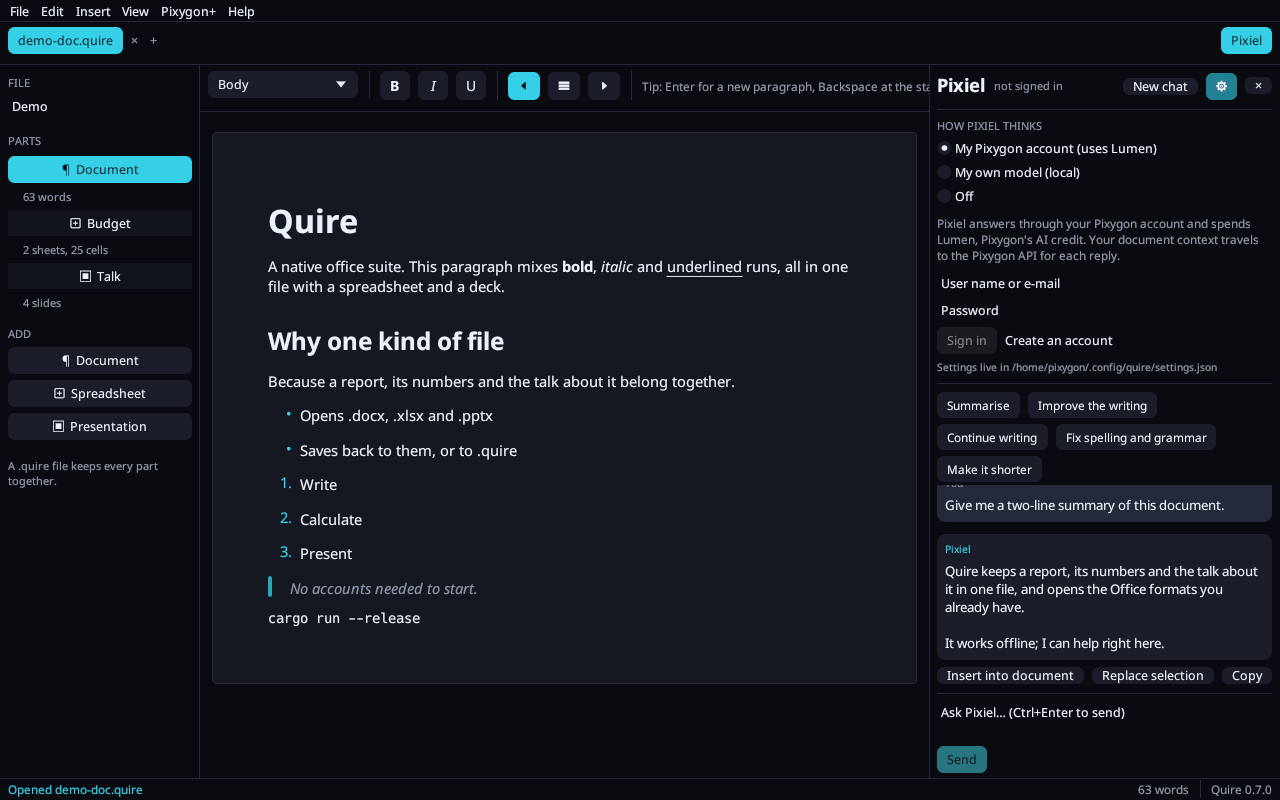
Not three apps stapled together. A file has parts; a part is a document, a spreadsheet or a deck.
What a Word user reaches for, with Word's keys: styles, headings, nested lists, Sans/Serif/Mono and every font on your computer, sizes, colours, highlight, super- and subscript, links, justify, indents, line spacing, pictures with text wrapping, tables from a size picker with merged, shaded and richly formatted cells, a table of contents that keeps itself current, columns, landscape and margins, headers and footers with page numbers, a different first page, footnotes and endnotes, symbols, a format painter, paste from the web or Word that keeps its formatting, comments with replies, tracked changes you accept or reject, autocorrect as you type (smart quotes, dashes, “- ” makes a list), find & replace, spell check with suggestions (English built in, Norwegian and more a click away), an outline pane, templates, zoom, printing, and a recovery copy of unsaved work every minute.
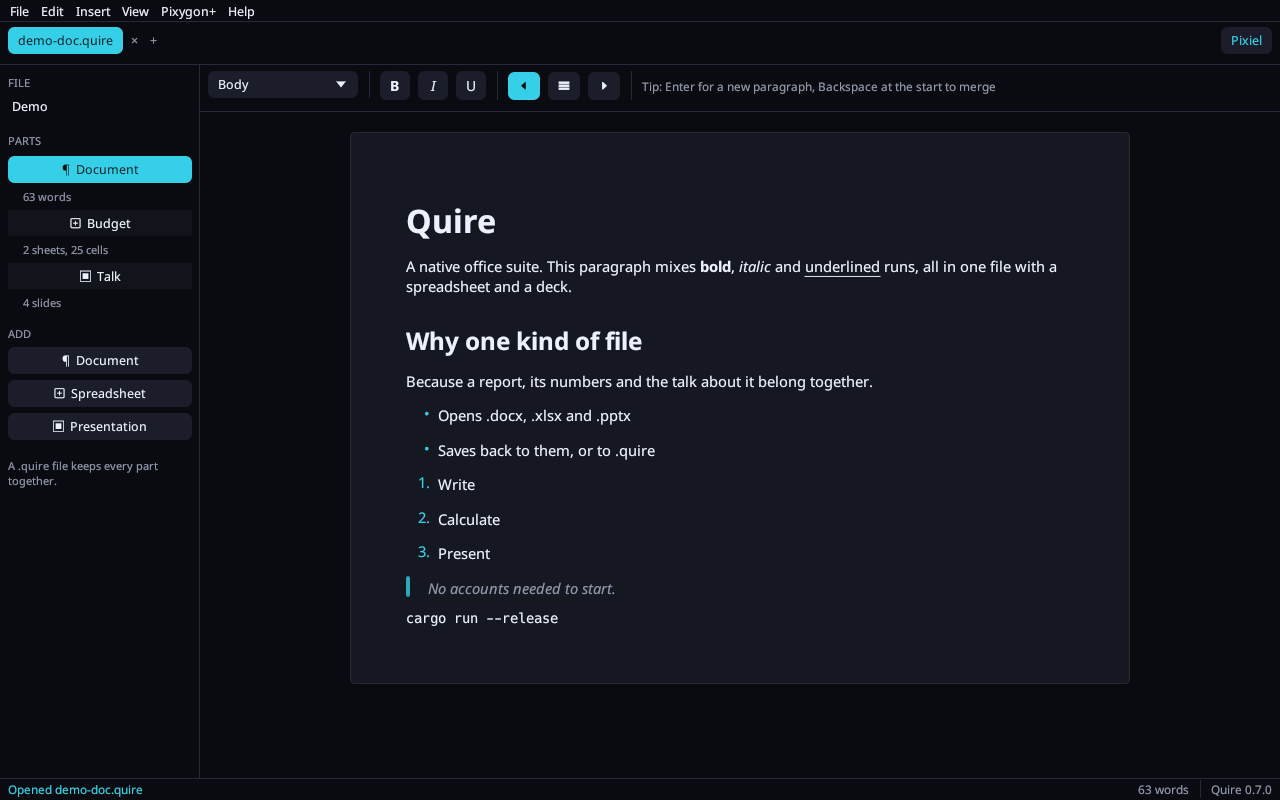
Excel's hands: around a hundred functions (SUMIFS, XLOOKUP,
INDEX/MATCH, TEXT, EOMONTH, STDEV …),
click cells to build a formula, the fill handle, Alt+= autosum, cell
colours and fills, merge, freeze panes, wrap, sort, notes, find & replace, number formats,
and column, bar, line and pie charts from a range. Rows and columns move with every
reference following. All of it survives .xlsx.
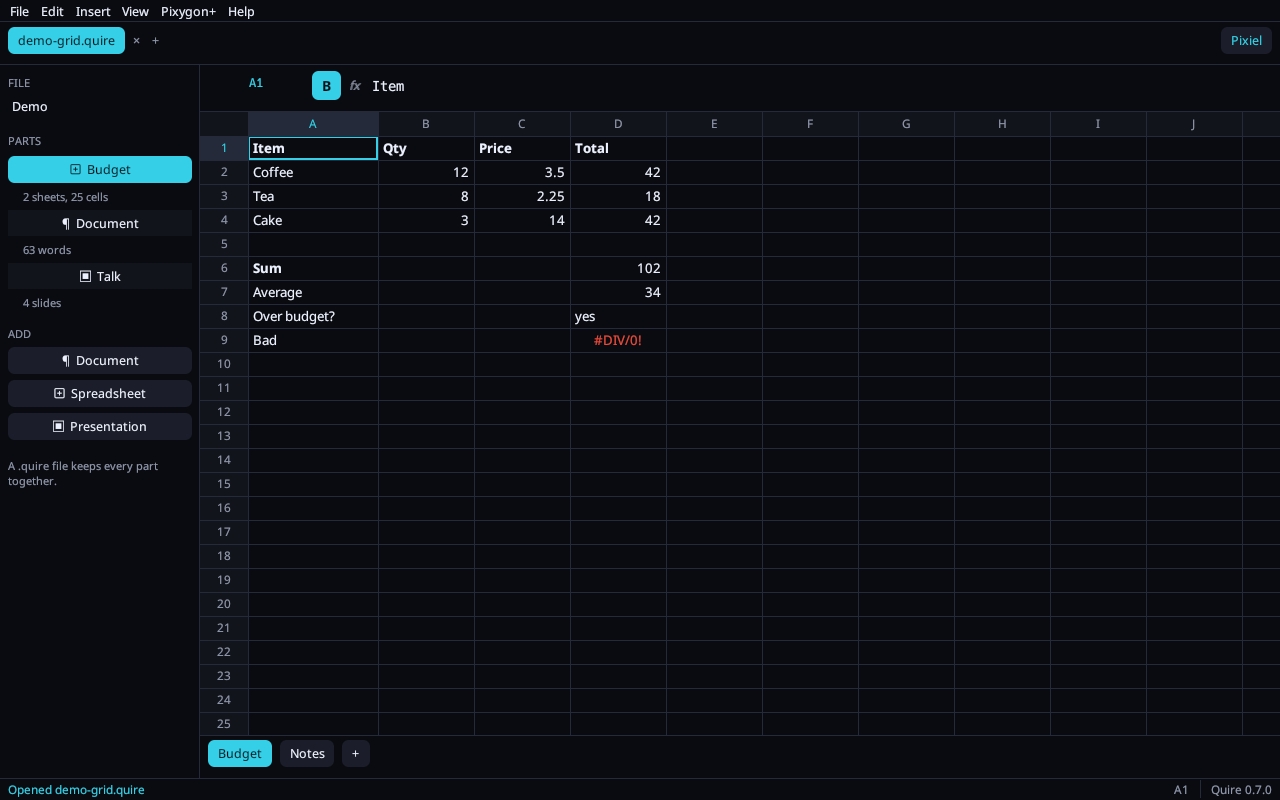
Seven layouts, bullet levels with Tab, shrink-to-fit text, a picture on any slide, a live chart from a spreadsheet in the same file, five colour themes, footer and slide numbers, drag-to-reorder thumbnails, speaker notes, and a full-screen show on F5 — N for notes, B to blank, a number and Enter to jump.
.docx, .odt, .xlsx and .pptx open directly and save back to the same format — comments, tracked changes and footnotes included — so nothing changes for the people you send files to. Old .doc files open too. Export any part to Office or to PDF with the fonts embedded — searchable, selectable, printable. .csv and .tsv open as a sheet, .md and .txt as a document — and save back as themselves.
Open a PDF and its text, headings and lists are rebuilt into an editable document. Layout and images are not kept — it's the words you get to work with, honestly.
On Linux Quire registers itself the first time it runs: it appears in the applications
menu and in Open with for every type it reads, and .quire files get their
own icon. One command undoes it.
No sign-up wall, no telemetry, nothing phones home. The .quire format is
plain JSON you can read in a text editor and keep in git. Recent files live in
~/.config/quire, not in a cloud. Light or dark follows your desktop, live;
on Omarchy Quire wears your theme — background, text and accent straight from
colors.toml, switching the moment you do.
Rust, wgpu and egui — the same stack as Reel. One small binary per platform, draws on the GPU, opens in a blink, and the Noto Sans family is embedded so bold and italic look right on every machine.
Share a file with a code. Everyone with it edits at once — cursors, cells and slides visible in each other's colour — and nothing gets clobbered: edits merge character by character, offline changes included. Undo is yours alone. How it works →
Every part keeps its own history. Structural changes — splitting paragraphs, committing a cell, adding a slide — are snapshots you can walk back with Ctrl+Z; text fields keep their own typing undo on top.
Quire is free and will stay free — no seats, no subscription, no upsell in the middle of a sentence. If it replaced one for you, sponsoring is what keeps it moving.
Real-time collaboration on the same document, spreadsheet or deck — with a Pixygon account, on your own files.
File → Share… gives you a code and a link like quire.pixygon.io/join/….
Send it to the people you trust; they paste it under File → Join. You decide whether the code
lets people edit or only view, and you can give any one person edit rights, take them away,
or remove them — while they're connected.
Every copy is a replica of the same Yjs-compatible CRDT. Two people typing in one paragraph
both keep their words; a cell filled while you were on a plane lands when you're back.
Your file on disk stays a normal .quire and carries the shared history, so it reopens
into the same session.
Colours mark each collaborator's paragraph, cell or slide, with their name. The tab bar shows who's here. Undo only undoes your changes. Stop sharing whenever you like — your copy stays yours.
The sync server holds the document only to relay and keep it for the next session; it never opens your Office exports, and a file that was never shared never leaves your machine.
One binary per platform. No installer wizard, no account, no telemetry.
One line — installs to ~/.local/bin and verifies the checksum:
curl -fsSL https://quire.pixygon.io/install.sh | bashOr grab the tarball and put quire on your PATH yourself.
The same one line works on an M-series Mac:
curl -fsSL https://quire.pixygon.io/install.sh | bashThe tarball is not notarized yet: if you download it in a browser, clear the
quarantine flag once with xattr -d com.apple.quarantine quire.
Add the Pixygon repo once, then it's a normal package with updates:
# /etc/pacman.conf
[pixygon]
SigLevel = Optional TrustAll
Server = https://pixygontech.b-cdn.net/releases/pacman-repo/x86_64
sudo pacman -Sy quireUnzip anywhere and run quire.exe. Drop a file on the window or pass it on
the command line: quire report.docx.
Every file has a published SHA-256 next to it (append .sha256 to any download URL).
Release history lives in the manifest.
Intel Macs have no build yet.
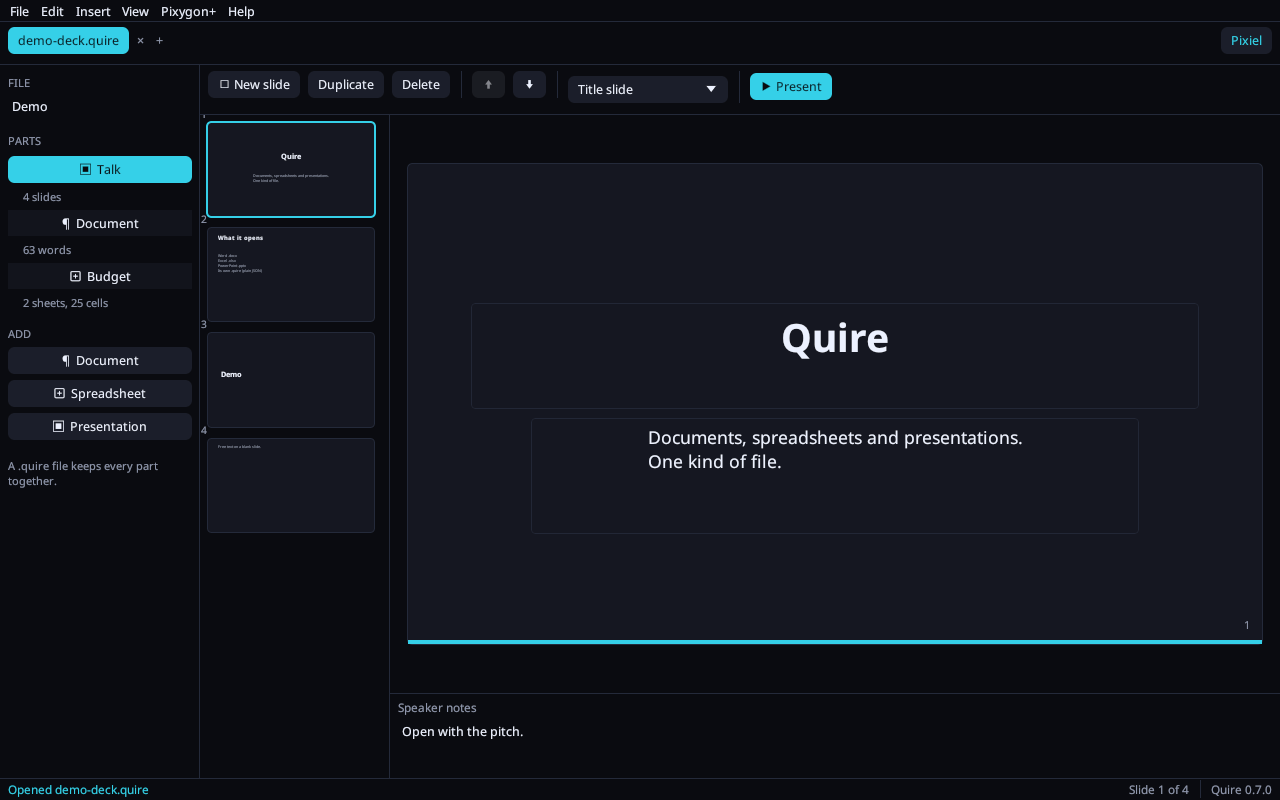
A robot from the Pixygon universe sits in a side panel, sees the part you're working on, and can write straight into it. You choose where it thinks.
Point Pixiel at any OpenAI-compatible server on your machine — Ollama, llama.cpp, LM Studio, vLLM. Press Detect, pick a model, done. Nothing leaves your computer.
ollama run llama3.2 # then: Pixiel → ⚙ → DetectSign in and Pixiel answers through Pixygon, spending Lumen — the same assistant, memory and voice as pixiel.ai. Your document context travels with each question; sign out removes the session from your disk.
Summarise, improve the writing, continue, fix spelling — then Insert into document or Replace selection. Headings and bullets in the reply become real styles.
Explain the sheet, explain the selected formula, suggest one for the selection, find mistakes. Tab-separated replies paste at the cursor as cells.
Tighten a slide, suggest speaker notes, outline three more slides. A reply becomes new slides after the current one, or the current slide's notes.
If you've used Word, Excel or PowerPoint, your hands already know Quire.
Open report.docx, add a
Spreadsheet part from the sidebar, paste the figures, then Save as .quire. Send the .docx
to whoever needs Word; keep the .quire for yourself.
Open the PDF, ask Pixiel to outline three
slides, click Add as slides — then add a Presentation part and drag the outline in. Export the
deck to .pptx or PDF.
Keeping a PDF's page layout (import rebuilds the text),
writing Word 97 .doc (it reads them; saves as .docx), pivot tables, conditional formatting,
macros, slide transitions and free-form shapes, and printing beyond PDF export.
The release manifest shows what changes.